Skip to content

Support teams

A WhatsApp helpdesk your whole support team can share.

Haiya turns your WhatsApp Business number into a helpdesk the whole support team shares: every agent answers from their own phone, every customer has one owner, and customers nobody owns yet wait under one filter. A private team thread sits beside each chat, saved replies save typing, and an AI agent can answer after hours and hand chats back.

3-day free trial on every plan, through the App Store or Google Play. Meta bills its message fees to you directly, with no Haiya markup.

Where it starts to go wrong.

Most businesses start with WhatsApp on one phone. These are usually the first things to slip once more customers write in.

  • Our support WhatsApp is one phone at the front desk. Nobody can tell how many people are waiting.

    A queue on one handset is invisible to everyone except the person holding it.

  • A customer got two answers from two of us. Another got none, because each of us thought the other had replied.

    When nobody owns a customer, a team either doubles up or drops them.

  • I type the returns policy out fifty times a week, and every time it comes out slightly different.

    The same answers, typed by hand, cost time and drift apart.

Examples, not customer quotes.

A day on a WhatsApp helpdesk, from the morning queue to the evening.

Follow one day at Jiko Bora Appliances, a sample online appliance shop in Nairobi with four people on support and one WhatsApp Business number. Names and numbers are examples.

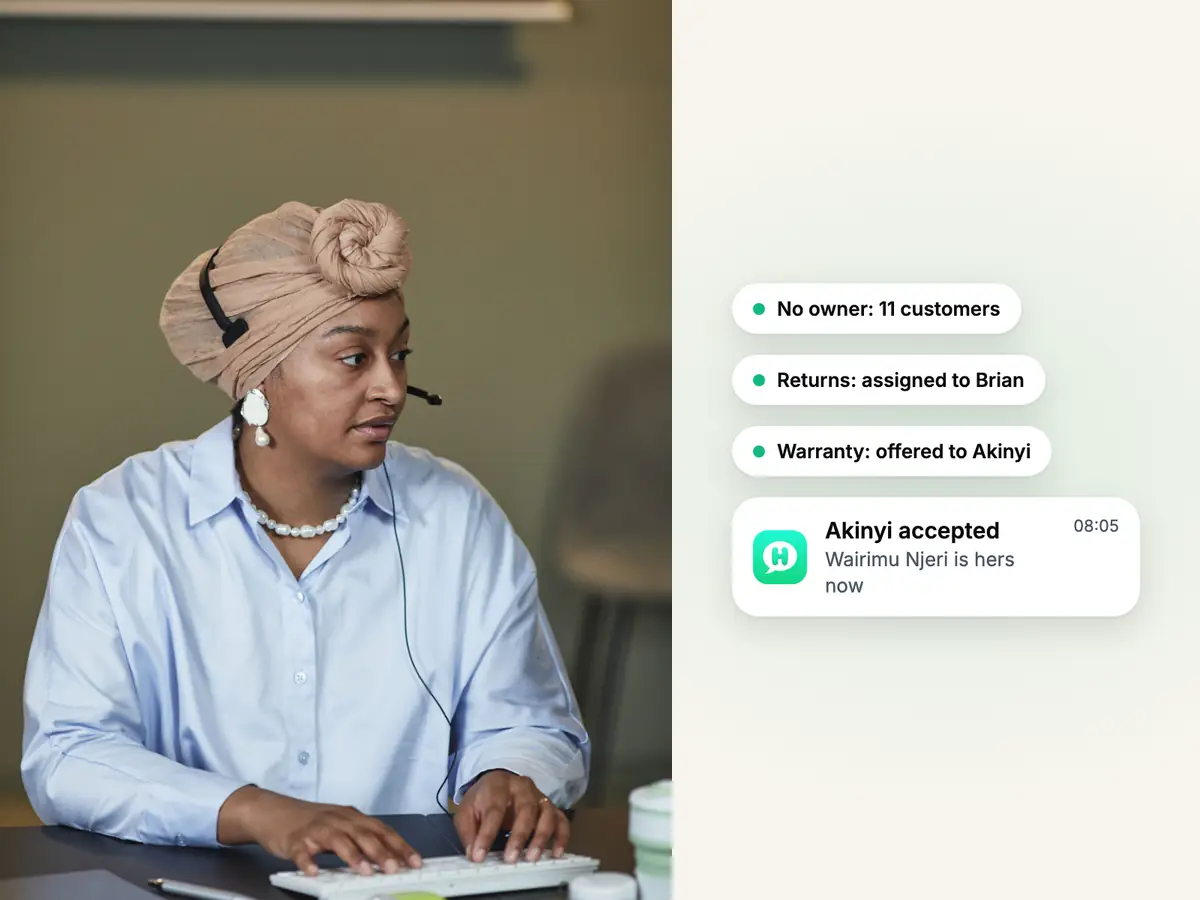
Support agent in a headwrap and headset typing at her desk, beside overnight WhatsApp chats being assigned to teammates

The morning queue

08:00

Wanjiru sees at once who wrote overnight and still has no owner.

Eleven customers wrote after closing time. Wanjiru, an admin, opens the filter of customers with no owner and shares them out: she assigns returns to Brian and offers two warranty questions to Akinyi, who accepts one and declines the other. The declined customer goes straight back to the filter, so nobody falls through.

  • Only owners and admins see the filter of customers with no owner
  • An offer nobody answers within 24 hours goes back to that filter
  • Choose whether each agent sees every customer or only the ones they own
See how ownership works in the team inbox
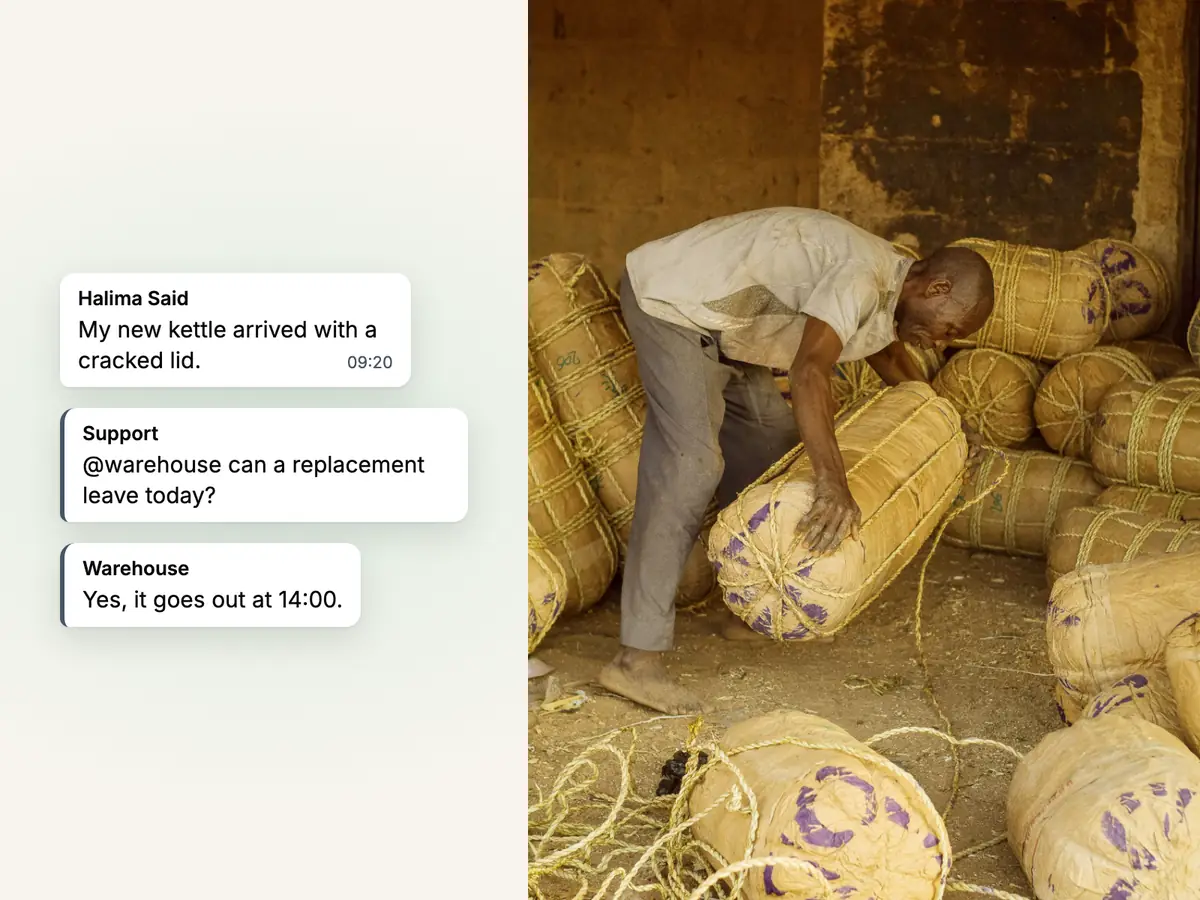
Man lifting a rope-tied bale in a store room of wrapped goods, beside a damaged-delivery chat and a team thread

A damaged delivery

10:02

Brian checks with the warehouse before he promises a replacement.

Halima Said (+254722555341) writes that her new kettle arrived with a cracked lid. Brian owns her chat. He opens the team thread beside it, mentions Otieno in the warehouse and asks whether a replacement can leave today. Otieno answers in the thread, and Halima never sees the conversation behind the reply.

  • The team thread starts with the people who can already see that customer
  • Channels and direct messages cover everything else, on every plan
See how team chat works
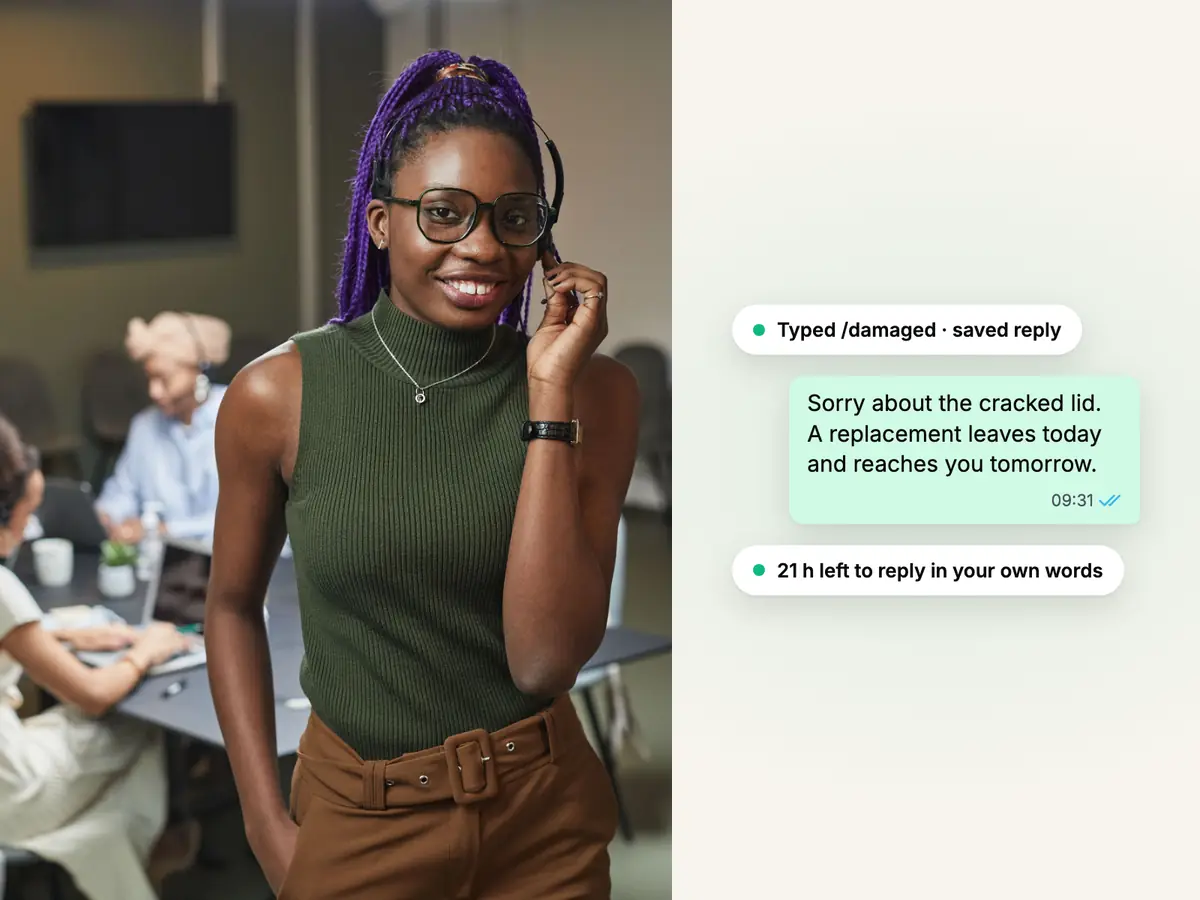
Smiling support agent in a headset, her team behind her, beside a saved reply for damaged goods sent on WhatsApp

The answer, without retyping it

10:06

Brian answers with the team's saved reply for damaged goods.

Brian types / in the chat and picks the saved reply the team wrote for damaged deliveries, then adds the day the replacement leaves. Every agent uses the same wording. Each chat shows how long is left to answer in your own words, and Haiya can alert you before the 24-hour window closes on a customer who is still waiting.

  • Saved replies and slash commands are on every plan
  • After the 24-hour window closes, only an approved template can be sent
  • Viewers can read chats without answering, for a supervisor or a trainee
See saved replies and the 24-hour window
Smiling woman at her desk with a laptop and phone, with a WhatsApp order question answered by an order lookup automation

Where is my order?

14:20

An automation looks up the order so Akinyi does not have to.

A customer asks where order 4417 is. The shop runs on WooCommerce, so Akinyi starts the business's order lookup automation from the chat. It reads the order by its number, phone or email and replies with its status, and Akinyi takes over the moment she sends a message of her own.

  • WooCommerce order lookup is built in, and it only reads your shop
  • Automations are built and changed on the web; the apps start and watch them
  • Shopify and WooCommerce order events can also send order updates by themselves
See how automations work
Woman on a sofa at night reading her phone, beside an after-hours WhatsApp question answered by the AI agent

After the office closes

19:40

The AI agent answers the evening's questions and hands the hard ones over.

On the support number, the business has put the Haiya AI agent first after hours. It answers questions about delivery areas and warranty terms from the FAQs and files the team added, and hands a chat to a person when it is unsure or the customer asks for one. In the morning an agent takes over by sending a message.

  • The AI agent is on every plan; Meta decides whether a business is eligible
  • Choose the topics it must always hand over to a person
  • Hand the chat back to the AI agent when you are done
See how Haiya AI works

The features this kind of team uses most.

Each part of the day above has its own page with the detail.

  • Shared team inbox

    One support number on every agent's phone, with one owner per customer.

  • Team chat

    A private thread beside every chat to check with the warehouse or a manager.

  • Haiya AI

    Answers from your own FAQs, files and pages, then hands the chat to a person.

  • Automations

    Order lookups, call-back requests and out-of-hours replies that run by themselves.

  • WhatsApp forms

    Collect a return request, a serial number or a photo inside the chat.

  • WhatsApp Business API

    Your support number on the official API, so the whole team can answer it.

Connect the tools you already use.

Each one shows how it connects to Haiya.

  • An automation looks up an order by number, phone or email and replies with its status.

    • Built inorder lookup
    • Via API and webhookscart and order events
  • Order events reach a Haiya webhook address and send customers order updates.

    • Via API and webhooks
  • If your own order or helpdesk system answers web requests, an automation step can ask it.

    • Built in
Custom module

A lookup in your own stock, booking or order system is built by the Haiya team for your business. Book a demo

Message ideas to adapt.

Example templates. The parts in double braces are filled in when the message is sent.

Examples. Meta reviews every template before it can be sent.

  • Order on its way

    Utility

    Hello {{1}}, order {{2}} has left Jiko Bora Appliances and should reach you on {{3}}. Reply here if anything is wrong with it.

    Filled in when it is sent: the customer's first name, the order number, and the delivery day, read from the shop's order event.

  • Call back confirmed

    Utility

    Your {{1}} with Jiko Bora Appliances is confirmed for {{2}}. Reply here if the time no longer suits you.

    Filled in when it is sent: what was requested, such as a call back and the day and time your team agreed.

  • Return request received

    Utility

    Thank you, {{1}}. We have your return request, and someone from our support team will reply in this chat.

    Filled in when it is sent: the customer's first name, from their contact, sent by an automation after the return form.

  • Holiday hours

    Marketing

    Our support team is away on Monday for the public holiday. Messages sent that day will be answered on Tuesday morning.

Teams like yours on Haiya.

Reviews on Trustpilot

What customers say about Haiya.

Written by businesses that use Haiya, on Haiya's public Trustpilot page. Each one links to the original review.

  • At Zinen Technologies Ltd we use Haiya every day, and it has made team communication much easier. When a WhatsApp message comes in, we assign the lead to the right team member. From there, they can create a quote, send an invoice and even request payment through M-Pesa, all in one place. This has helped us a lot. We’re very satisfied and looking forward to more features.

    James MwangiDirector, Zinen Technologies, KenyaTrustpilot,
    Read the storyZinen Technologies
  • Already use Haiya?

    Tell other teams how it went

    Read every review on Trustpilot · 1 review

Plans and pricing.

From $8 to $89 a month, with a 3-day free trial on every plan.

  • Hobby$8 / monthFor solos & side projects
  • Professional$39 / monthFor growing teams
  • Business$89 / monthFor busy, multi-number teams

Haiya charges for the plan. Meta charges for each delivered message by category and bills you directly, with no Haiya markup.

Questions about running a WhatsApp helpdesk.

Meta sets and bills its own message fees. From Meta's rate card, .

What is a WhatsApp helpdesk?

A WhatsApp helpdesk is a shared place where a support team answers customers on one WhatsApp Business number, each agent with their own login, so chats can be assigned, discussed and handed over. It runs on the official WhatsApp Business API rather than on one phone. Haiya is a WhatsApp helpdesk for small teams, with iPhone and Android apps and a web dashboard.

Can several support agents answer one WhatsApp number?

Yes. In Haiya every agent signs in as themselves and answers the same number at the same time, from a phone, a tablet or the web. Your plan sets how many teammates you have: 2 on Hobby, 6 on Professional and 20 on Business.

Is Haiya a ticketing system?

No. Haiya has no ticket numbers, service-level timers or satisfaction surveys. Instead every customer has one owner, customers with no owner wait under one filter for an owner or admin to assign, and each chat keeps its whole history with that customer. If you need formal tickets and service levels, a helpdesk built around tickets will suit you better.

How do we know who is handling a customer?

Every customer has one owner, and the whole team can see who it is. When an owner or admin answers a customer nobody owns yet, that reply makes them the owner. Owners and admins can also assign a customer to an agent, or offer it so the agent can accept or decline; an offer nobody answers within 24 hours goes back to the customers with no owner.

Can we discuss a customer without the customer seeing it?

Yes. Every customer chat has a private team thread beside it. Mention a colleague with @ to check a delivery, a refund or a warranty before you answer. Nothing in the thread is sent over WhatsApp, so the customer never sees it.

Can an AI agent answer customers after hours?

Yes, where Meta allows it. The Haiya AI agent is Meta's business agent running on your number; on the numbers where you put it first, it answers from the FAQs, files and web pages you add and hands the chat to a person when it is unsure or the customer asks. Meta decides which businesses are eligible. Any agent takes over by sending a message.

Can Haiya look up an order for a customer?

For WooCommerce, yes: order lookup is built in, and an automation reads an order by its number, phone or email without changing your shop. If your own system answers web requests, an automation's Call another system step can ask it. A lookup in any other system is a custom module, built by the Haiya team, so book a demo to ask about it.

How much does a WhatsApp helpdesk cost with Haiya?

Haiya costs $8 a month on Hobby, $39 on Professional and $89 on Business, after a 3-day free trial that you start in the iPhone or Android app. Meta's message fees are separate: Meta charges per delivered message, by category, and bills you directly, with no Haiya markup; each number has a monthly free tier of 1,000 service messages.


Put your whole team on your WhatsApp number.

Start in the app today: 3 days free, then from $8 a month.

See what customers say on Trustpilot
  • Get it on Google Play
Smiling market trader in a white hijab at her fruit stall, beside a WhatsApp chat about an order of pawpaw