Skip to content

WhatsApp Business API

The WhatsApp Business API, set up from inside Haiya.

The WhatsApp Business API is Meta's official way for a business to send and receive WhatsApp messages through software instead of one phone. Haiya gives small businesses and teams the API on every plan: you connect your number through Meta's embedded sign-up, opened inside the Haiya app or the web dashboard, and your whole team answers it from their own logins.

  • Built on the official WhatsApp Business API, on every Haiya plan
  • Meta's own sign-up opens inside the Haiya app or the web dashboard
  • Up to 10 WhatsApp numbers on the Business plan

3-day free trial on every plan, through the App Store or Google Play. Meta bills its message fees to you directly, with no Haiya markup.

Woman at her desk reading her phone beside a laptop, with a note that her number is connected to the WhatsApp Business API

Built on the official WhatsApp Business API

What is the WhatsApp Business API?

The WhatsApp Business API is the part of Meta's WhatsApp Business Platform that lets software send and receive a business's WhatsApp messages; Meta hosts it as the Cloud API. Unlike the WhatsApp Business app, it does not live on one phone, so a team can answer one number together and broadcasts, automations and your own systems can use it. Most businesses reach it through a platform such as Haiya, which connects the number and gives the team an inbox and apps on top.

The WhatsApp Business app, compared with the WhatsApp Business API with Haiya
WhatsApp Business appThe API, with Haiya
Who can answerThe main phone plus up to four linked devices, or up to 10 with multi-agent on a Meta Verified or Meta One subscriptionFrom 2 team members on Hobby to 20 on Business, each with their own login
The main phoneMust be used at least every 14 days, or the linked devices are disconnectedNo main phone: the number runs on Meta's Cloud API
Automatic messagesA greeting and an away message, sent from the phone while it has an internet connectionAutomations with several steps that run without any phone switched on
Writing to customersAny message you typeYour own words for 24 hours after the customer's last message; an approved template otherwise
What it costsThe app is free to useMeta's per-message fees, by category, plus a Haiya plan
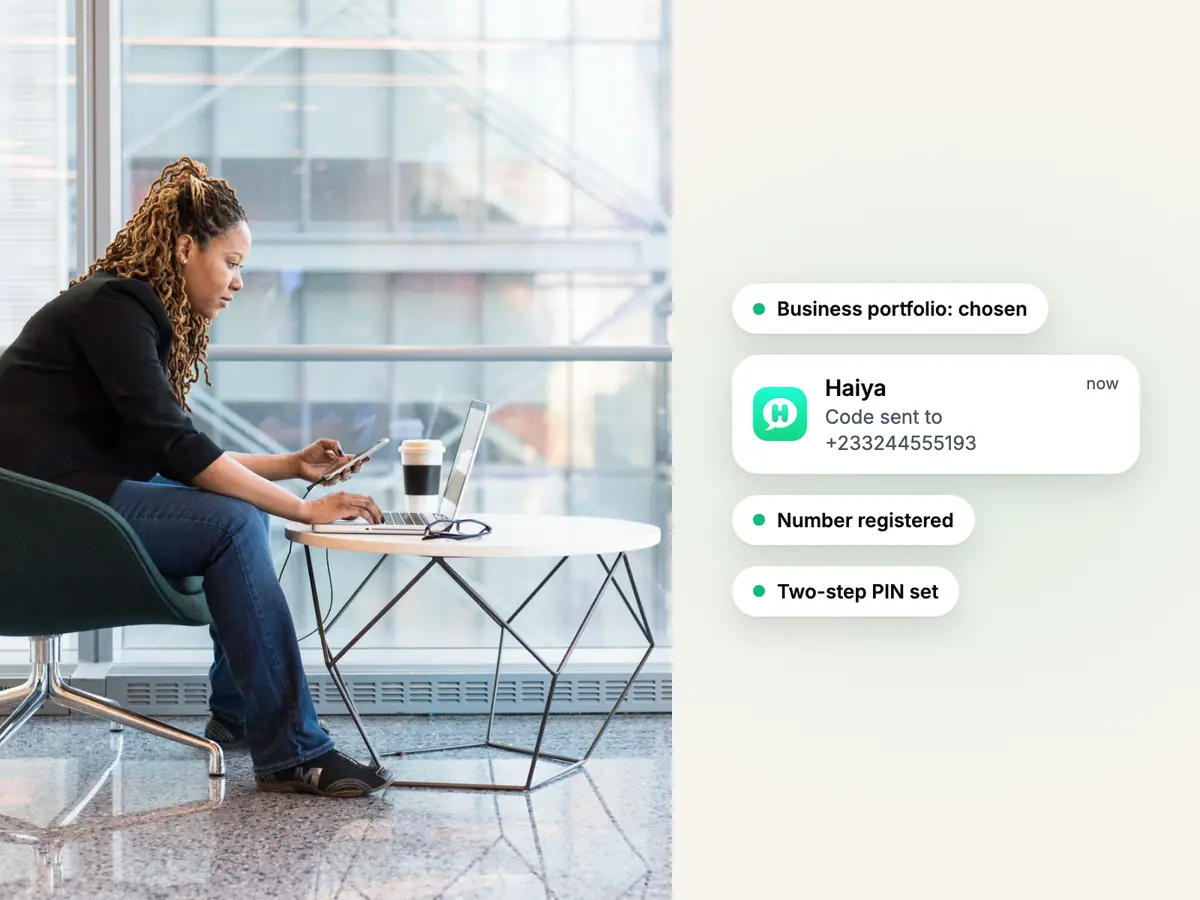
Woman in a black blazer at a laptop by a window, phone in hand, beside the WhatsApp number set-up steps in Haiya

Set-up inside Haiya

Connect your number through Meta's sign-up without leaving Haiya.

Press connect in the Haiya app or the web dashboard and Meta's official embedded sign-up opens. You sign in with Facebook, choose or create your business portfolio and WhatsApp account, enter the number and its display name, and verify the number with a code. Haiya then registers the number, shows its status and, when something needs fixing, says what to do.

  • Verify a number again by text message or voice call from Haiya
  • Set the number's two-step PIN in Haiya
  • No developer account and no Meta dashboard to learn to connect a number
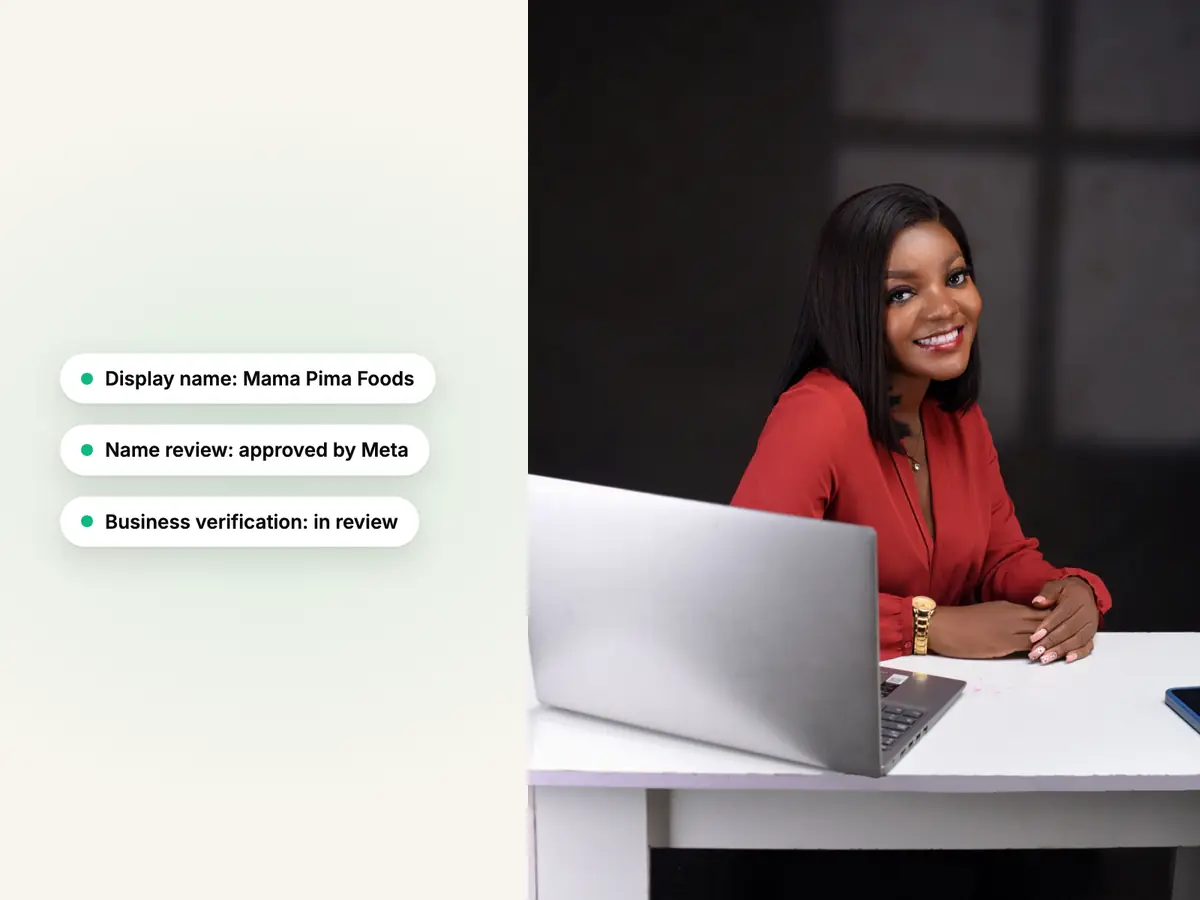
Smiling woman in a red blouse at a white desk with a laptop, beside Meta's display name and business reviews in Haiya

Business verification and display name

Meta checks your business and your display name; Haiya shows where you stand.

Meta reviews two things. Business verification checks your business portfolio, and it is one of the ways Meta raises how many people you can message in a day. The display name review checks the name customers see in place of your number, and Meta reviews it again as your messaging limit grows. Both are Meta's processes: Meta decides the outcome and how long they take.

  • Haiya shows each number's display name and its review status
  • If Meta rejects a name, Haiya tells you, and you choose another and request it again
  • Meta sets how long its reviews take
The Haiya app on a phone: a new chat from Amara Okafor arrives in the chats list, Daniel Mensah opens it, takes it and replies, and the reply is read.

Your team on one number

One number on the API, your whole team answering from their phones.

With the number on the API, every teammate signs in to Haiya as themselves and answers from the iPhone or Android app or the web. You choose who sees which number, every customer has one owner, and a private team thread sits beside each chat.

  • Four roles: owner, admin, agent and viewer
  • Up to 20 team members on the Business plan
  • Each teammate sees only the numbers they work on; owners and admins see them all
Explore the shared team inbox
The Haiya app on a phone: a broadcast with the Weekend restock template is sent to Customers, 840 recipients, and the sent, delivered and read counts rise.

Templates, broadcasts and automations

Use what the API allows without writing code.

With the API connected, you write message templates in Haiya and send them for Meta's approval, send broadcasts to all your contacts or a tagged group, and run automations with WhatsApp forms. Replies arrive in the shared inbox, in each customer's own chat.

  • Each template's review status kept in step with Meta's
  • Delivered and read counts for every broadcast
  • Automations built on the web, used and watched in the apps
Explore broadcasts

For developers

Your own software can use Haiya's API and webhooks.

Every plan includes the Haiya API, to read and write your Haiya data from your own software, and webhooks, which tell your system the moment something happens, such as a new lead or a lead changing stage. Your system can also start an automation by calling a webhook address Haiya gives you.

  • Business events are signed by Haiya, so your system can check they are real
  • Available on every plan, with no add-on
  • The developer documentation is public
Read the developer docs

Look after your WhatsApp Business API number from your phone.

Connecting a number and keeping it healthy works in the iPhone and Android apps as well as on the web.

Connect a number
Open Meta's sign-up from the app and connect your WhatsApp number.
See its status
Each number shows whether it is connected, waiting or needs attention, and what to do next.
Verify and protect it
Verify the number by code and set its two-step PIN without leaving Haiya.
Answer on it
Your team answers that number's chats from their own phones.
The Haiya app on a phone: Amara Okafor asks a question, Daniel Mensah joins the conversation and replies, the reply is read, and Haiya AI suggests the next reply.

How to get the WhatsApp Business API with Haiya.

Three steps, all started from the Haiya app.

  1. Start your trial in the app

    Download Haiya for iPhone or Android and pick a plan. The first 3 days are a free store trial, with a card.

  2. Connect your number through Meta's sign-up

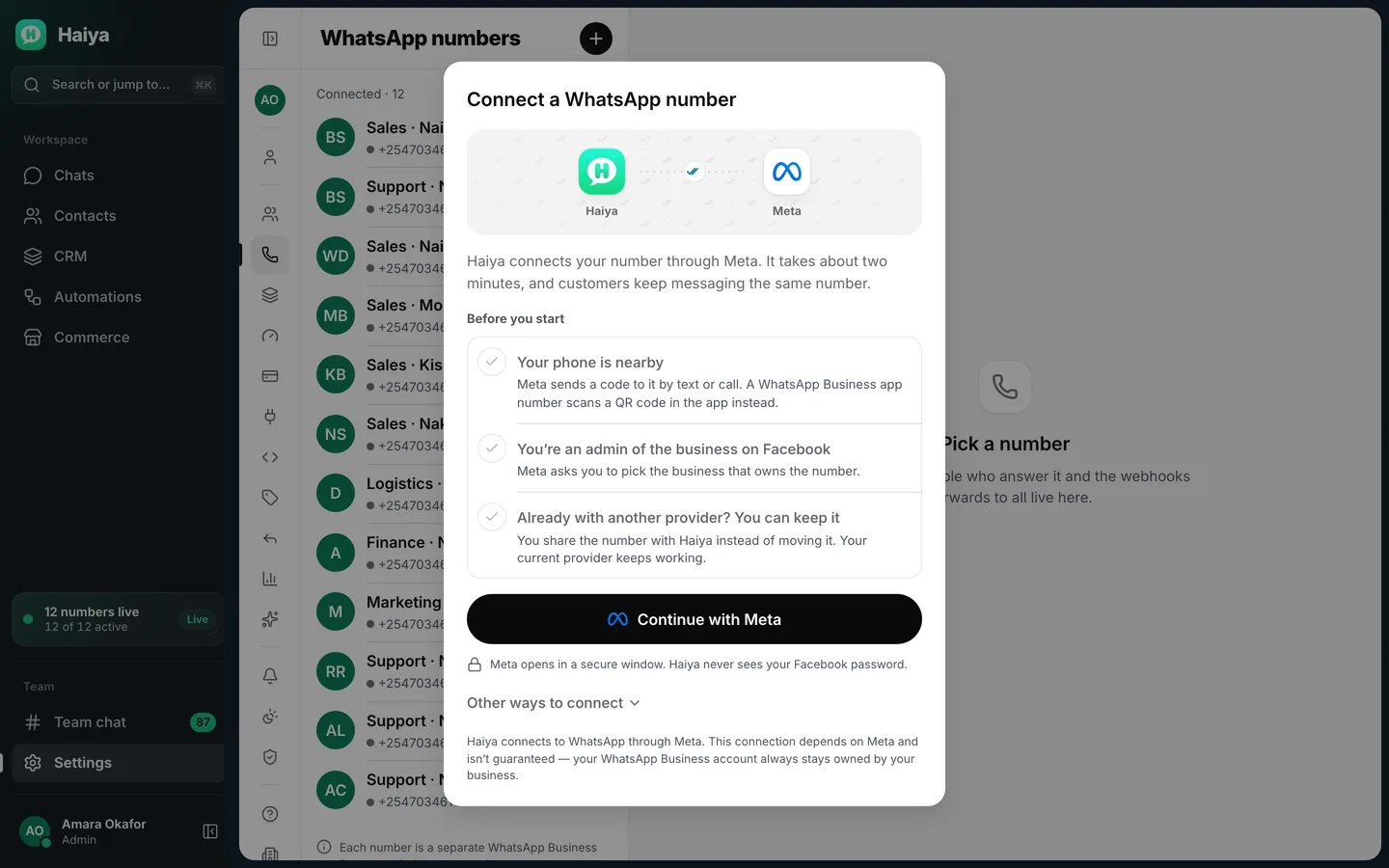
    Meta's embedded sign-up opens inside Haiya. Confirm your business, add the number and its display name, and verify it with a code.

    Connect a WhatsApp number dialog with a Before you start checklist and a Continue with Meta button
    Meta's embedded sign-up opens inside Haiya.
  3. Invite your team and start answering

    Add teammates, choose which numbers each one works on, and answer your customers together.

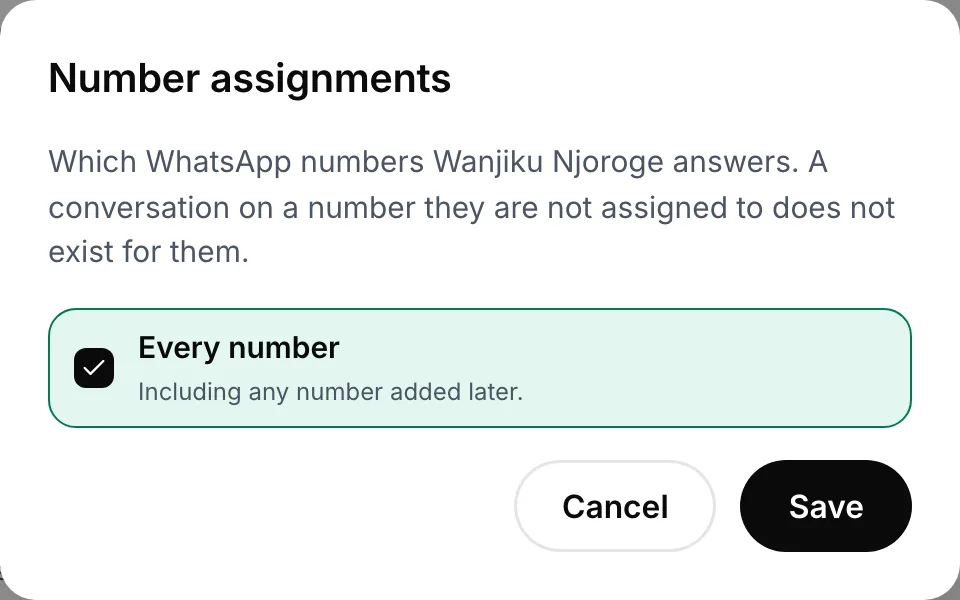
    Number assignments dialog with Every number ticked and Save and Cancel buttons
    Choose which numbers each teammate answers.

WhatsApp Business API rules and limits.

Most of these rules are Meta's and apply whichever platform you use. One limit is Haiya's.

  • A number can be on the API or in a WhatsApp app

    Meta does not let a number that is already used with WhatsApp be registered on the API until that WhatsApp account is deleted. The number must be yours, have a country code, and be able to receive a text message or a voice call.

  • Meta sets how many people you can reach

    A new business portfolio can send templates to 250 different people outside an open customer service window in a moving 24-hour period. Verifying your business is one way to raise that, and Meta raises it further as you send messages people want.

  • Templates and the 24-hour window

    When a customer messages you, a 24-hour customer service window opens, and each new message from them starts it again. While it is open you can answer in your own words; once it closes, and to start a conversation, only an approved template can be sent.

  • Meta charges per message and bills you directly

    Meta charges per delivered message, by category, and each number has a monthly free tier of 1,000 service messages. Meta bills the payment method on your business account, which it asks for before templates can be sent. Haiya adds no markup.

  • Display names follow Meta's rules

    The display name can appear in place of your number in WhatsApp. Meta reviews it against its display name guidelines, and again when your messaging limit grows; a rejected name can be changed and requested again.

  • Haiya's limit: WhatsApp numbers per plan

    Each plan sets how many numbers one business can connect: 1 on Hobby, 3 on Professional and 10 on Business. A sales line and a support line count as two.

Who moves to the WhatsApp Business API, and why.

Examples of businesses that outgrew one phone.

  • A shop that outgrew one phone

    The owner and two sales assistants answer the shop's number at the same time, each from their own phone, instead of passing one handset around.

  • A clinic with two lines

    Reception answers bookings on one number and the pharmacy answers refills on another, and each teammate sees only the line they work on.

  • A property agency with agents out on viewings

    Enquiries arrive on the agency's number and each customer has an owner, so an agent can answer from the road and the office knows who is handling it.

  • A school office with term notices

    The office sends an approved template to parents who agreed to hear from the school, and answers their replies in the shared inbox.

  • A business whose own system sends updates

    An order system calls Haiya when an order ships, and an automation sends the customer an approved order-update template.

Who it is for

Haiya suits you if

  • You run the business yourself or with a small team, and more than one person needs to answer WhatsApp
  • You want the official API without hiring a developer
  • You want to set up and run WhatsApp from your phone
  • You want broadcasts, automations or your own systems on the same number

Look elsewhere if

  • You only ever answer a few chats a day, alone, on one phone
  • You want to message people who never agreed to hear from you
  • You want to build your own app directly on Meta's API with no platform in between

Which plans include it

What each Haiya plan includes for this feature
FeatureHobbyProfessionalBusinessCustom
Official WhatsApp Business APIYour number is connected through Meta's own sign-up, opened inside Haiya. No unofficial tools that put your number at risk of a ban.IncludedIncludedIncludedIncluded
WhatsApp numbersHow many WhatsApp Business numbers you can connect to one workspace. A sales line and a support line count as two.1310Custom
Team membersPeople who can sign in to your workspace, including you. Each person has their own login, so nobody shares a password.2620Custom
Haiya markup on Meta's message feesMeta bills WhatsApp message fees to your own payment method. Haiya never handles that money and adds nothing to it.0%0%0%0%
Haiya APIRead and write your Haiya data from your own software.IncludedIncludedIncludedIncluded
WebhooksHaiya tells your own system the moment something happens, such as a new message or a lead changing stage.IncludedIncludedIncludedIncluded

Reviews on Trustpilot

What customers say about Haiya.

Written by businesses that use Haiya, on Haiya's public Trustpilot page. Each one links to the original review.

  • At Zinen Technologies Ltd we use Haiya every day, and it has made team communication much easier. When a WhatsApp message comes in, we assign the lead to the right team member. From there, they can create a quote, send an invoice and even request payment through M-Pesa, all in one place. This has helped us a lot. We’re very satisfied and looking forward to more features.

    James MwangiDirector, Zinen Technologies, KenyaTrustpilot,
    Read the storyZinen Technologies
  • Already use Haiya?

    Tell other teams how it went

    Read every review on Trustpilot · 1 review

Questions about the WhatsApp Business API.

Meta sets and bills its own message fees. From Meta's rate card, .

What is the WhatsApp Business API?

The WhatsApp Business API is Meta's official interface for businesses to send and receive WhatsApp messages through software. It is part of the WhatsApp Business Platform, and Meta hosts it as the Cloud API. A platform such as Haiya connects your number to it and gives your team an inbox, broadcasts and automations on top, in iPhone and Android apps and on the web.

How can I get the WhatsApp Business API?

With Haiya you get it inside the app. Start a plan in the iPhone or Android app, press connect, and Meta's official embedded sign-up opens inside Haiya: you confirm your business, add your number and its display name, and verify the number with a code. There is no separate provider to apply to and no server to run.

Is the WhatsApp Business API free to use?

No. Meta charges per delivered message, by category, and each number has a monthly free tier of 1,000 service messages; Meta bills your business directly. A platform charges for its own service on top: Haiya charges a flat plan from $8 a month and adds no markup to Meta's fees.

What is the difference between the WhatsApp Business app and the API?

The WhatsApp Business app runs on one main phone with a few linked devices and suits a business answering on its own. The API has no main phone: a team answers one number together, each from their own login, and broadcasts, automations and your own systems can use it. On the API, a conversation you start, or one more than 24 hours after the customer's last message, uses an approved template.

Can I keep using the WhatsApp Business app on the same number?

Usually a number that is used with WhatsApp has to be deleted from the app before it can be registered on the API. Meta also lets some businesses keep the WhatsApp Business app on the same number; ask us whether that applies to your number.

How long do business verification and display-name review take?

Meta decides, and sets no fixed time for either. You do not have to wait for business verification to start: a new business portfolio can already send templates to 250 different people in a moving 24-hour period, outside an open conversation, and verifying the business is one way to raise that. Haiya shows each number's display name status.

Do I need a developer to use the WhatsApp Business API?

Not with Haiya. The sign-up, the inbox, templates, broadcasts and automations all work without code. If you have a developer, they can use Haiya's own API and webhooks, which every plan includes.

What is the WhatsApp Cloud API?

The Cloud API is the version of the WhatsApp Business API that Meta hosts, so a business does not run its own servers for it. Haiya connects your numbers to the Cloud API.

Can I connect more than one WhatsApp number?

Yes. Hobby includes 1 number, Professional 3 and Business 10, and you choose which teammates work on each number. Every number goes through the same sign-up inside Haiya.

Connect your number to the WhatsApp Business API.

Start in the app today: 3 days free, then from $8 a month.

See what customers say on Trustpilot
  • Get it on Google Play
Smiling market trader in a white hijab at her fruit stall, beside a WhatsApp chat about an order of pawpaw