Free WhatsApp link generator, with a QR code.
Make a wa.me link and QR code that open a WhatsApp chat with you, with your message already typed in. Haiya's generator is free.
- Free
- No sign-up
- Made in your browser
Your WhatsApp link
Your link appears here when you press Generate.
WhatsApp QR code
Appears with your link.
Made on your device. Nothing you type here is sent to Haiya or to anyone else.
What is a WhatsApp link?
A WhatsApp link is a web address that opens a chat with one phone number. It is written as https://wa.me/ followed by the number in international format, and it works without the other person saving your number first.
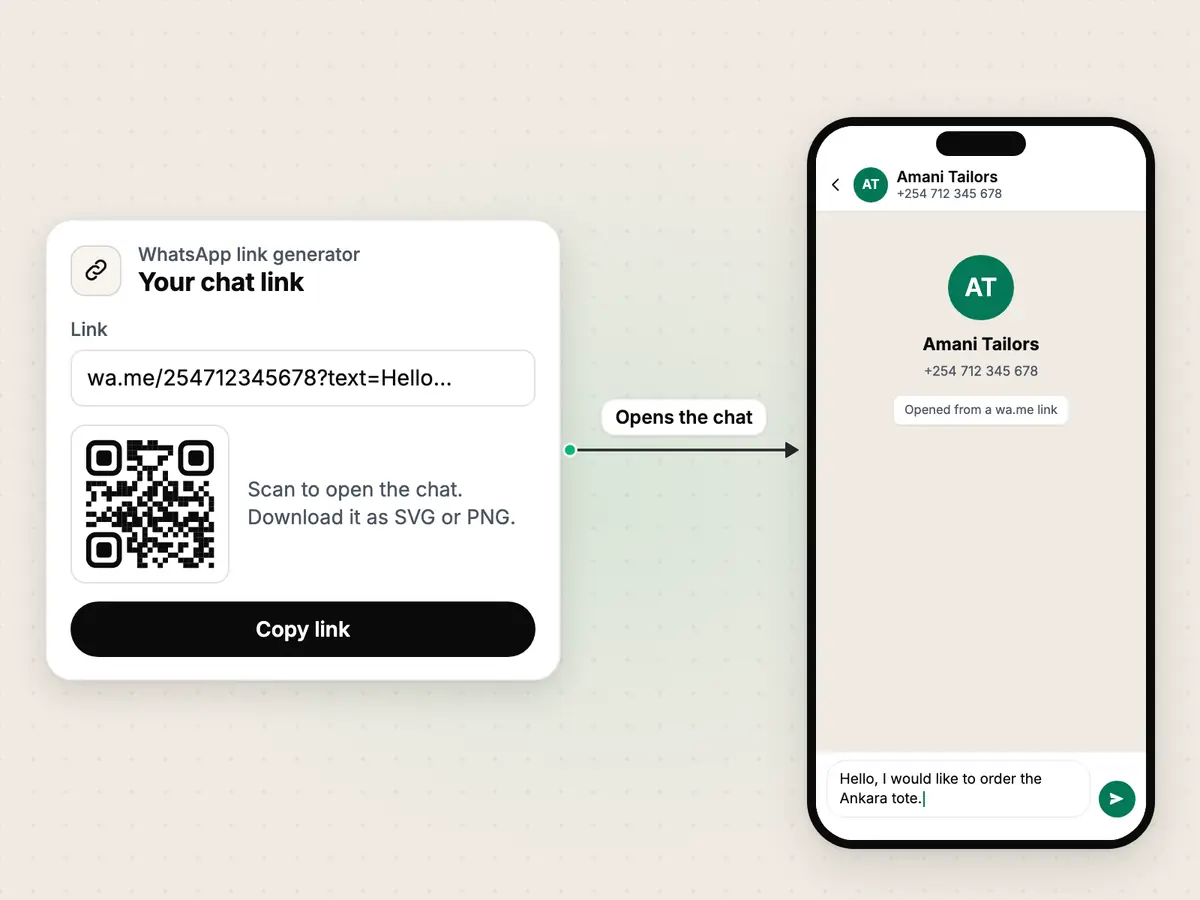
WhatsApp calls this click to chat. The link can carry a first message that is already typed in, and people also call it a wa.me link or a WhatsApp chat link. Haiya's generator above writes the link and its QR code for you.
https://wa.me/- WhatsApp's own short address. It never changes.
254712345678- Your number in international format: the country code first, then digits only.
?text=- Optional. It tells WhatsApp that a message follows.
Hello%2C%20I%20would…- Your message, URL-encoded so that spaces and punctuation survive.
How to create a WhatsApp link in three steps.
Choose your country and type your number
Pick the country code, then type the number the way you normally write it. The generator removes spaces, dashes, brackets and the leading zero for you.
Add a message, if you want one
Write the first message for your customer, such as "Hello, I would like to order". It appears already typed in their chat, and they can change it before they send it.
Copy the link or download the QR code
Copy the wa.me link for your bio, website or email. Download the QR code as an SVG for print or a PNG for screens, then scan it once to test it.
A worked example
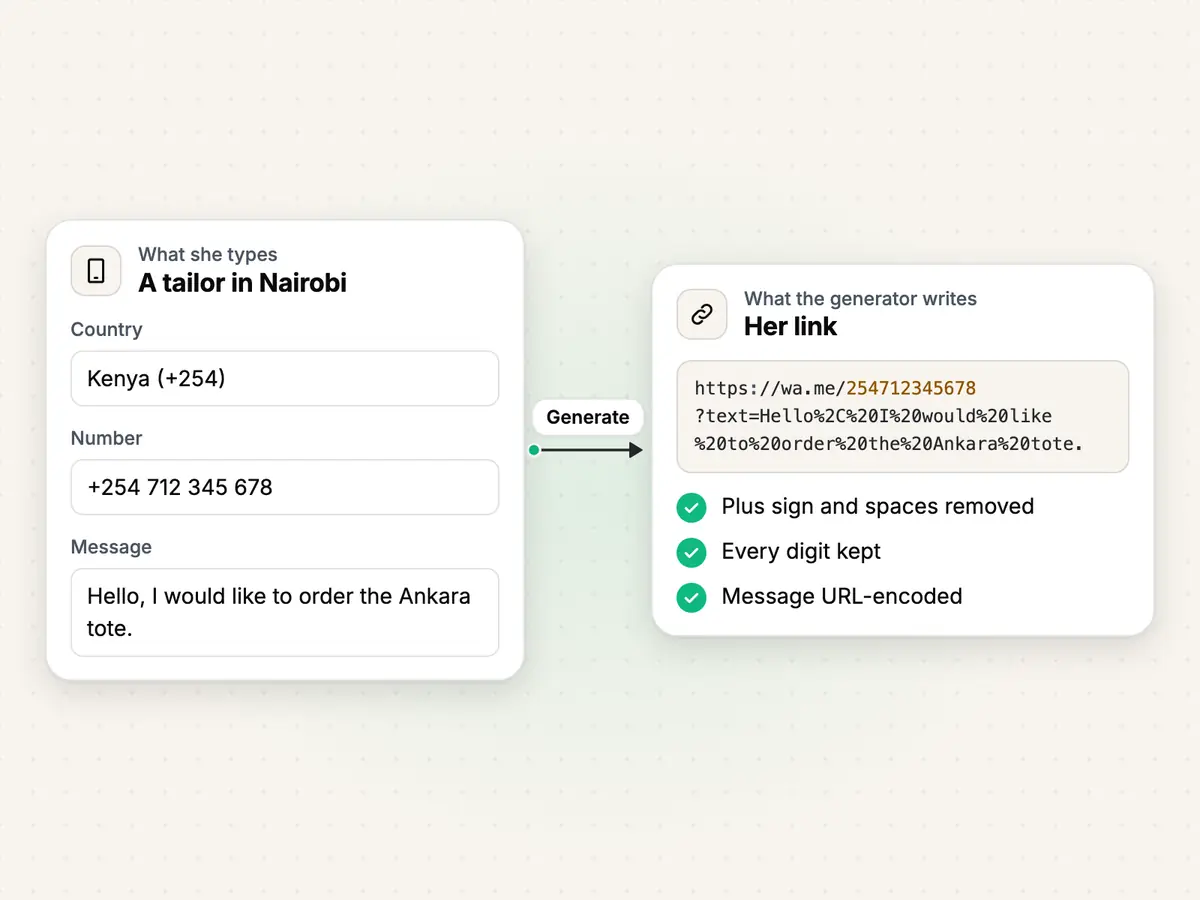
A tailor in Nairobi types her shop's number with its country code and the spaces she always writes. The generator removes the plus sign and the spaces and keeps every digit. She adds a message, so that customers start with an order.
- Typed
+254 712 345 678- Link only
https://wa.me/254712345678- Link with a message
https://wa.me/254712345678?text=Hello%2C%20I%20would%20like%20to%20order%20the%20Ankara%20tote.
Where to put your WhatsApp link and QR code.
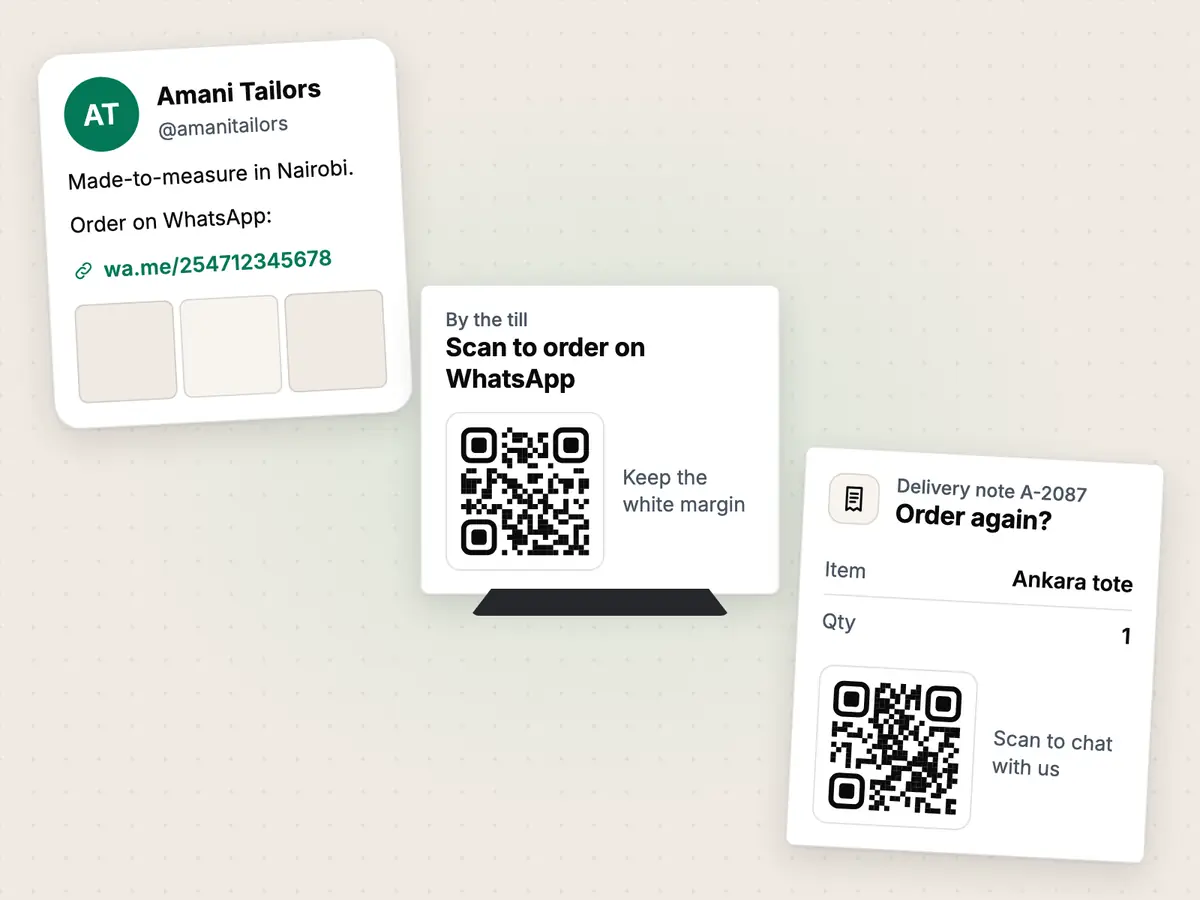
Website
Put the link behind a "Chat on WhatsApp" button on your contact page or your product pages. For a button that stays on every page, use the chat button generator.
Make a website chat buttonInstagram bio
Paste the link into the website field of your profile. A message such as "Hello, I saw you on Instagram" tells you where each customer came from.
Shop counter
Print the QR code on a card by the till, on a menu or in the shop window, and say what scanning it does, such as "Scan to order on WhatsApp". Keep the white margin around the code.
Packaging
Put the QR code on bags, labels, receipts and delivery notes, so a customer can order again or ask a question after the sale. Scan one printed copy before you print the rest.
Four common mistakes, and how to avoid them.
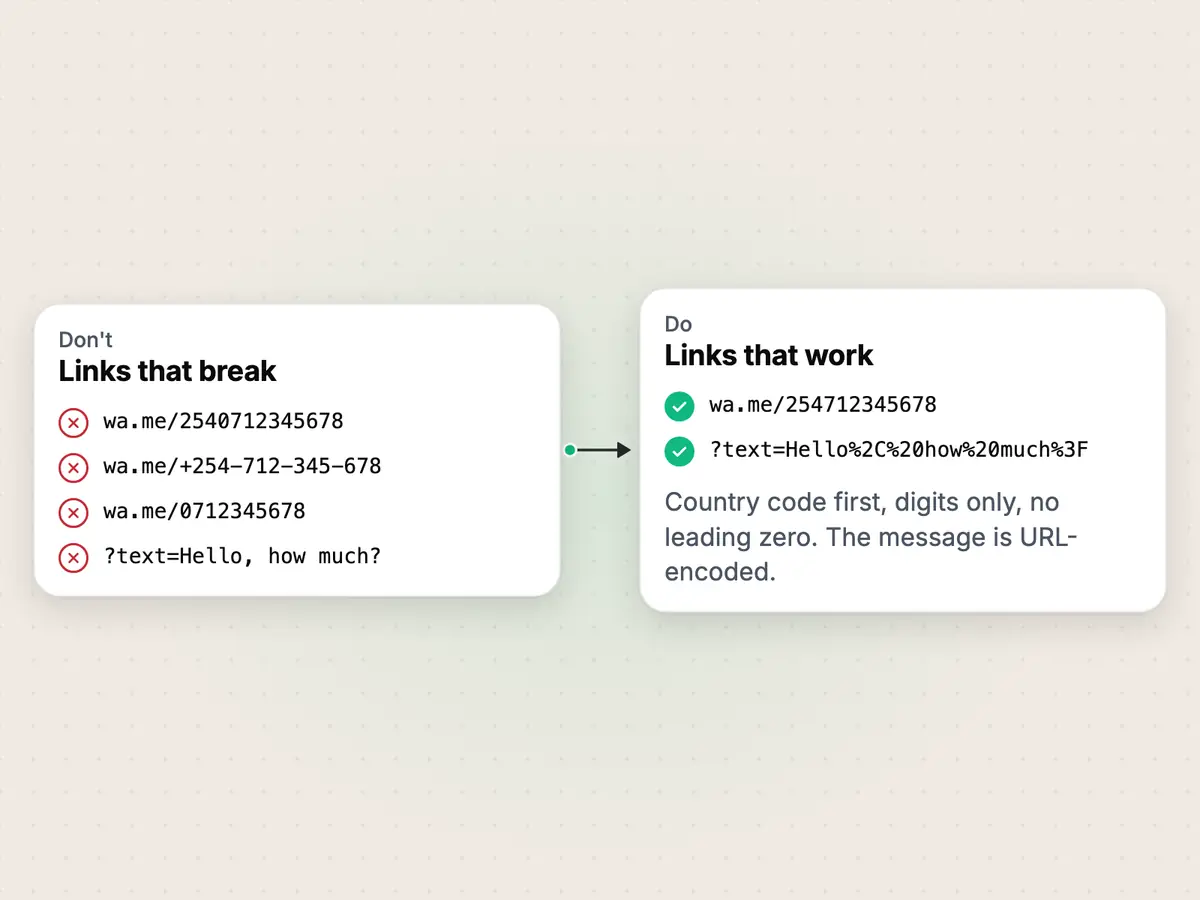
WhatsApp's help centre gives one format: the full number in international format, with any zeroes, brackets or dashes left out. Most links that do not work break that rule in one of the ways below.
The generator above fixes the first three for you, and it encodes the message itself.
Keeping the leading zero
Wrong
https://wa.me/2540712345678Right
https://wa.me/254712345678A number written for local calls starts with 0. In international format the country code takes its place.
Adding a plus sign, spaces, dashes or brackets
Wrong
https://wa.me/+254-712-345-678Right
https://wa.me/254712345678WhatsApp's own example of a link not to use has a plus sign, a dash and brackets in it. Use digits only.
Leaving out the country code
Wrong
https://wa.me/0712345678Right
https://wa.me/254712345678WhatsApp asks for the full number in international format. Without the country code the link does not lead to your number.
Typing the message without encoding it
Wrong
https://wa.me/254712345678?text=Hello, how much?Right
https://wa.me/254712345678?text=Hello%2C%20how%20much%3FWhatsApp asks for the message URL-encoded. Spaces, commas and question marks typed as they are can cut the message short or break the link.
Limits
Based on WhatsApp Help Center: How to use click to chat.
- The chat opens only when the number has an active WhatsApp account.
- The link format is WhatsApp's own, from WhatsApp's help centre.
- The 500-character limit on the message is this tool's own, not a WhatsApp rule: a longer message makes the QR code too dense to scan easily.
- The generator checks that the number has 7 to 15 digits with its country code. It does not check that the number exists.
When several people need to answer that chat, that is Haiya.

About the author
Edward Mwangi
Founder, Haiya
Edward Mwangi is the founder of Haiya and a software developer with more than 15 years of experience building custom applications. He is a co-founder of Quest Website Developers Ltd, the company behind Haiya, which offers web design and custom software solutions to clients around the world. On the Haiya blog he writes about running WhatsApp Business as a team from the phone.
More by Edward MwangiQuestions about WhatsApp links and QR codes.
What is a WhatsApp link?
A WhatsApp link is a web address in the form https://wa.me/ followed by a phone number in international format. When someone taps it, WhatsApp opens a chat with that number, without them saving it as a contact first. WhatsApp calls the feature click to chat.
How do I create a WhatsApp link for my number?
Write https://wa.me/ and then your full phone number in international format: the country code first, digits only, with no plus sign, spaces, dashes, brackets or leading zero. For the Kenyan number 0712 345 678 the link is https://wa.me/254712345678. The generator on this page does the formatting for you.
How do I make a WhatsApp link with a message already typed in?
Add ?text= to the end of the link, then your message in URL-encoded form, where a space becomes %20. The message appears in the customer's message box when the chat opens. They can change it, and nothing is sent until they press send.
How do I make a WhatsApp QR code?
A WhatsApp QR code is a wa.me link drawn as a QR code. Generate your link at the top of this page, then download the code as an SVG for print or a PNG for screens. A customer scans it with their phone camera to open the chat. Scan one printed copy before you make more.
Is this WhatsApp link generator free, and do you keep my number?
It is free, with no sign-up. The link and the QR code are made in your browser, so your number and your message are never sent to Haiya. The link goes straight to wa.me, with no link shortener and no redirect through haiya.co.
Why is my WhatsApp link not working?
The usual causes are a leading zero left after the country code, a plus sign, spaces or dashes in the number, a missing country code, or a number without an active WhatsApp account. Compare your link with the common mistakes above, then open it on your own phone to test it.
Your link brings the chats. Haiya helps your team answer them.
Run your WhatsApp Business from your phone, as a team, with no markup on Meta's message fees.
“…we use Haiya every day, and it has made team communication much easier.”