Skip to content

WhatsApp forms

WhatsApp Flows, made simple: forms that open inside the chat.

WhatsApp forms (Meta calls them Flows) open inside the customer's WhatsApp chat, with screens, fields and choices, so a booking, a survey or an order request never sends anyone to a website. In Haiya, the WhatsApp Business platform for small businesses and teams, owners and admins build forms on the web without code. Haiya puts each form on WhatsApp and keeps the two in sync, and your automations send forms and act on the answers.

  • Built on the web in Haiya, with no developer and no code
  • Haiya puts each form on WhatsApp for every number you connect, and keeps it in sync
  • Automations send forms and use the answers; teammates send them from a chat

3-day free trial on every plan, through the App Store or Google Play. Meta bills its message fees to you directly, with no Haiya markup.

Tailor on a phone call at his cutting table, with a WhatsApp form for measurements and the answers it returned

Built on the official WhatsApp Business API

What are WhatsApp Flows?

WhatsApp Flows are forms that open inside a WhatsApp chat: a customer taps a button and fills in one or more screens of fields, dates and choices without leaving WhatsApp, and the answers go back to the business. Meta built them into the WhatsApp Business Platform; Haiya calls them WhatsApp forms. With Haiya you build a form on the web, publish it to WhatsApp, and let an automation send it and act on what the customer chose.

A form behind a web link, compared with a WhatsApp form in Haiya
A form behind a web linkA WhatsApp form in Haiya
Where the customer fills it inIn a browser, after leaving the chatInside the WhatsApp chat they are already in
Where the answers goA separate tool someone has to checkBack to Haiya, where the automation that sent the form uses them straight away
Who builds itWhoever runs the form toolOwners and admins, on the web, with screens, fields and choices
Outside the 24-hour windowA link in any messageOnly in a message template Meta has approved; Haiya prepares the template

Build in Haiya, live on WhatsApp

Build a form on the web, and Haiya keeps WhatsApp in step.

Add screens, then fields and choices: short and long text, numbers, email and phone, dates and date ranges, single and multiple choice, and photo or document uploads. Preview it, then publish. Haiya puts the form on WhatsApp for every number you have connected, edits it in place when you change it, and checks WhatsApp for changes, so the form you see is the form your customers get.

  • Choices can come from a list you upload to Haiya
  • A form you change in WhatsApp Manager comes back to Haiya as a new version
  • Forms already published in your WhatsApp account are brought into Haiya
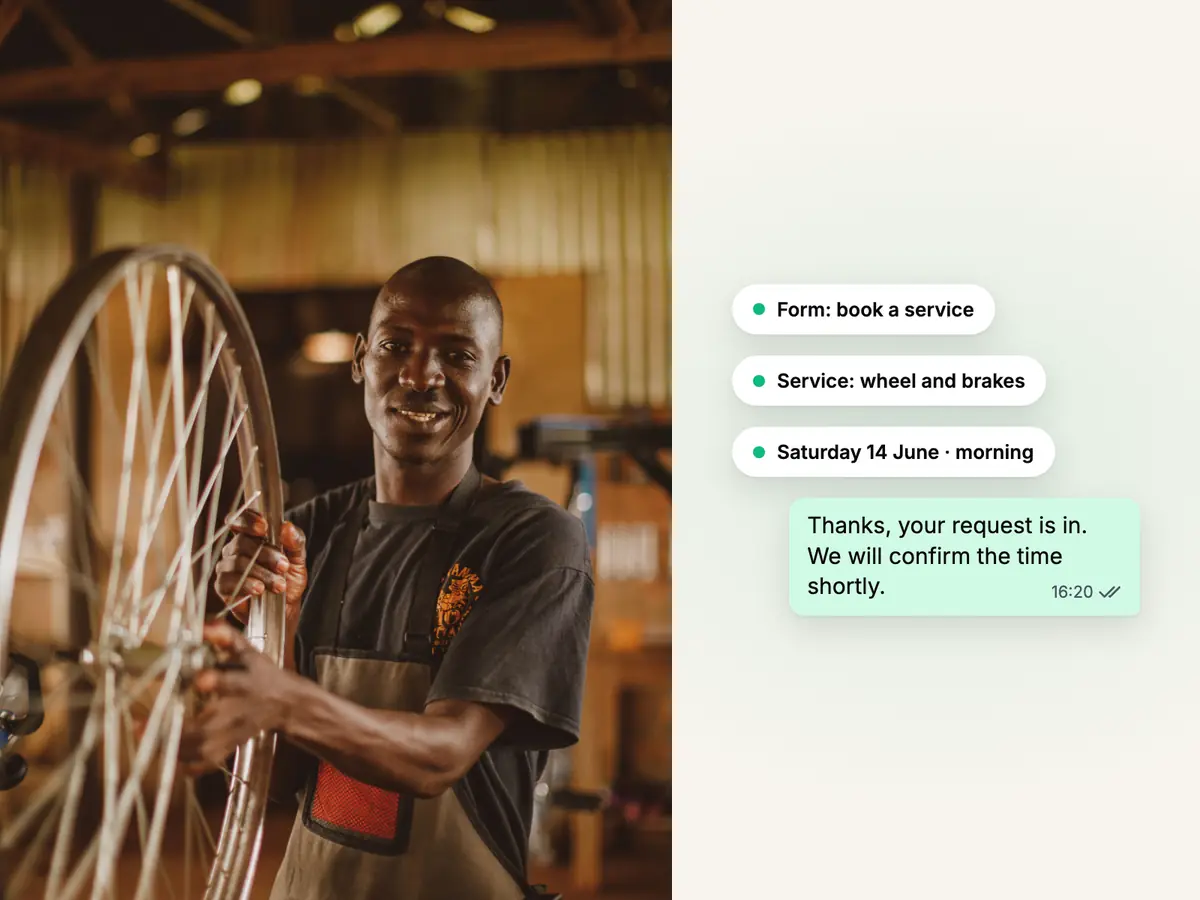
Smiling mechanic in an apron truing a bicycle wheel in his workshop, beside a WhatsApp booking form and its confirmation

Example 1: a booking

Let customers book an appointment without leaving the chat.

A garage, a salon or a tutor sends a booking form: the customer picks the service, chooses a date on a calendar, adds a preferred time and a note, and submits. The automation that sent it files the request for your team and confirms to the customer that it arrived. A person agrees the final time.

  • A calendar can leave out the days you are closed
  • The answers become values the next steps of the automation can use
  • A completed form can also start an automation of its own
Teacher at her desk holding a phone in front of a world map and a globe, beside a WhatsApp chat with a parent

Example 2: a survey

Ask for feedback in three taps, inside WhatsApp.

After a delivery, a class or a visit, an automation sends a short survey: a rating, one or two choices and an optional comment. The customer answers in the chat and goes back to their messages. The answers come back to Haiya, where the automation can tag the customer or hand a low rating to a person.

  • Keep surveys short: one screen with a few questions is quick to answer
  • An automation can wait before it sends the survey, so it arrives at a sensible time
  • Outside the 24-hour window, the survey goes inside an approved template
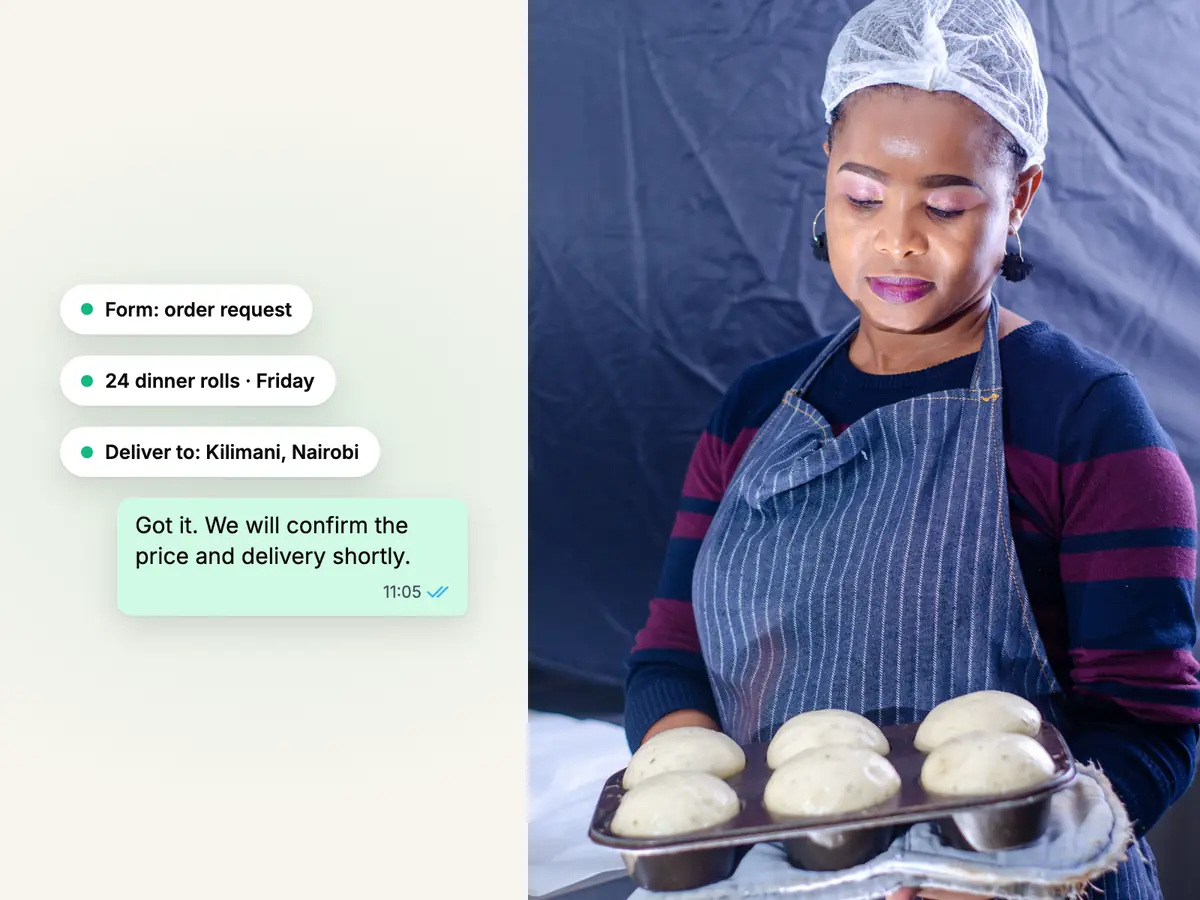
Baker in a hairnet and striped apron holding a tray of fresh buns, beside a WhatsApp order form's answers

Example 3: an order form

Take an order request in a form, and let your team confirm it.

A bakery or a shop sends an order form: the customer chooses items and quantities from the options you set, adds a delivery address and a date, and submits. The answers reach Haiya as an order request, and the automation can create a lead or hand the chat to a teammate, who confirms the price and the delivery with the customer.

  • The form collects what the customer wants; a person confirms the order
  • No payment is taken inside the form
  • Item choices can come from a list you upload to Haiya

Used by automations

Automations send the form, wait for it, and act on the answers.

A form does its work inside an automation: the automation sends it, waits for the customer to submit, and uses the answers in the next steps, such as tagging the customer, creating a lead or handing the chat to a person. Owners and admins build automations and forms on the web; in the iPhone and Android apps, a teammate can send a published form from a customer chat.

  • Inside the 24-hour window the form goes as a button in the chat
  • Outside it, Haiya prepares a template with a form button and waits for Meta to approve it
  • If a form is removed on WhatsApp, Haiya keeps it and lets you restore it
More about WhatsApp automations

Use WhatsApp forms from your phone.

Forms are built and changed on the web. In the iPhone and Android apps, your team uses them in customer chats.

Send a form from a chat
Pick a published form and send it to the customer you are talking to.
See the answers
See what the customer chose when they submit the form.
See what is running
See the automation waiting for a form, and stop it when you need to.
Build on the web
The form editor, the preview and publishing are in the web dashboard.

How to create a WhatsApp form with Haiya.

Three steps, once your number is connected.

  1. Build the form on the web

    In the web dashboard, add screens, fields and choices, and preview the form.

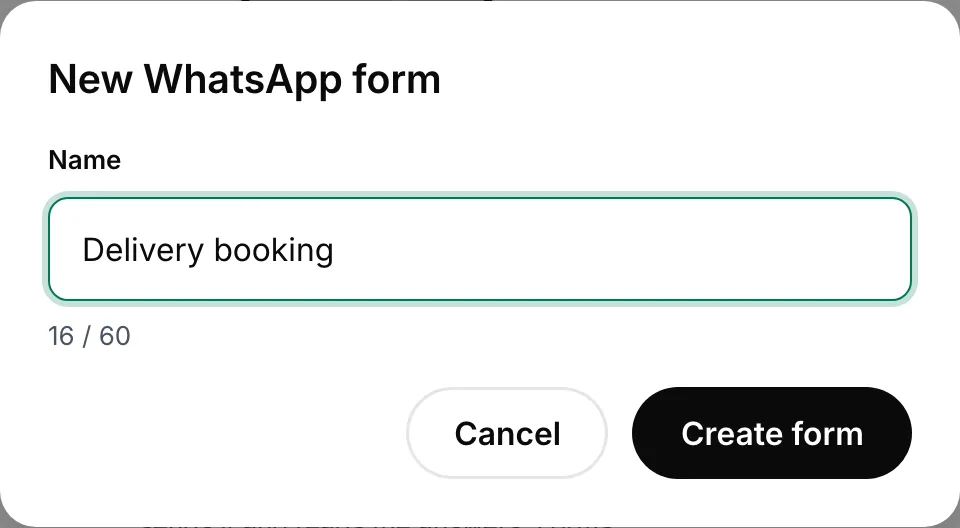
    New WhatsApp form dialog with the form's name typed in, ready to create
    Name the form to start building it on the web.
  2. Publish it to WhatsApp

    Haiya checks the form against WhatsApp's rules and puts it on WhatsApp for every number you have connected.

  3. Send it from an automation or a chat

    Add a send-form step to an automation, or send the form from a customer chat in the apps, and use the answers that come back.

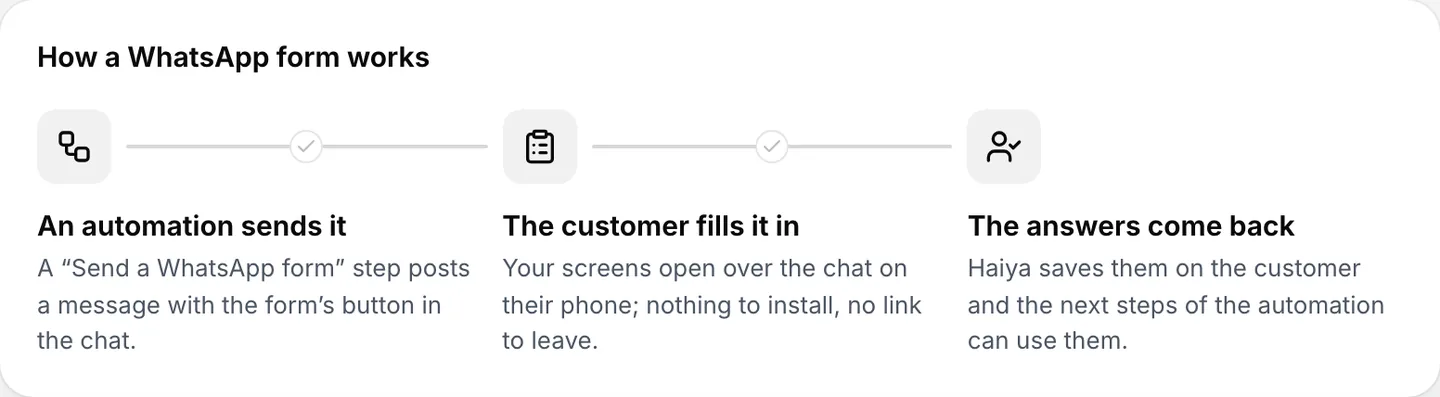
    Three steps: an automation sends the form, the customer fills it in, the answers come back to Haiya
    An automation sends the form, and the answers come back into Haiya.

WhatsApp Flows rules and limits.

Most rules are Meta's and apply on every platform.

  • Up to ten screens per form

    A form in Haiya has up to ten screens. Haiya checks a form against WhatsApp's rules before it publishes, and lists anything that would stop it.

  • Outside the 24-hour window, only in an approved template

    Inside the 24-hour window after a customer's last message, a form can be sent as a button in the chat. To send one later, or to start a conversation, it must be inside a message template Meta has approved. Haiya prepares that template for you; until Meta approves it, the form cannot be sent outside the window.

  • WhatsApp can pause or block a form

    Meta tracks each form on WhatsApp as draft, published, throttled, blocked or deprecated. Haiya shows a form's state on WhatsApp for each account, so you see when Meta has paused it.

  • People must opt in first

    WhatsApp requires a business to get a person's agreement before messaging them, and a message that carries a form is no exception.

  • Meta charges for the messages that carry a form

    A message with a form is a WhatsApp message like any other. Meta charges per delivered message, by category, and each number has a monthly free tier of 1,000 service messages. Meta bills your business directly; Haiya adds no markup.

  • Built on the web only

    Forms are built, changed and published in the web dashboard. The iPhone and Android apps send published forms and show the answers.

WhatsApp Flows examples for small businesses.

Ideas to adapt for your business.

  • Garages and salons: appointment requests

    The customer picks a service and a date, and the request reaches whoever manages the diary.

  • Delivery businesses: feedback after delivery

    A one-screen survey goes out after each delivery, and a low rating hands the chat to the owner.

  • Bakeries: cake order requests

    Flavour, size, message on the cake and collection date in one form, then a person confirms the price.

  • Property: viewing requests

    Which property, which day and a contact number, filed for an agent to call back.

  • Training and events: registration

    Name, course or session, and how the person heard about you, filed as a lead for your team.

  • Services: quotation details

    Collect the details a quote needs, file a lead, and let a person set the price.

Who it is for

Haiya suits you if

  • You ask customers the same questions in every chat and want the answers in one place
  • You take bookings, orders or registrations over WhatsApp today, by hand
  • You can sit at a computer to build a form, then use it from your phone
  • You want forms without a developer or a server of your own

Look elsewhere if

  • You need customers to pay inside the form
  • You want to build or change forms only on a phone
  • You need a form for your website rather than for WhatsApp

Which plans include it

What each Haiya plan includes for this feature
FeatureHobbyProfessionalBusinessCustom
WhatsApp formsA form that opens inside the WhatsApp chat, for orders, bookings or sign-ups. The customer never leaves the conversation.IncludedIncludedIncludedIncluded
Visual automation builderDraw what should happen when a message arrives: greet, ask a question, route to a teammate. Built in the web dashboard.IncludedIncludedIncludedIncluded
Automations in the mobile appsYou build and edit automations on the web. The iPhone and Android apps run them and show you what each one did.Run and watchRun and watchRun and watchRun and watch
Active automationsAutomations switched on at the same time. You can build and keep as many drafts as you like; only the ones running count.210UnlimitedCustom
Message templatesWrite a template, send it to WhatsApp for approval and track its status without leaving Haiya.IncludedIncludedIncludedIncluded

Reviews on Trustpilot

What customers say about Haiya.

Written by businesses that use Haiya, on Haiya's public Trustpilot page. Each one links to the original review.

  • At Zinen Technologies Ltd we use Haiya every day, and it has made team communication much easier. When a WhatsApp message comes in, we assign the lead to the right team member. From there, they can create a quote, send an invoice and even request payment through M-Pesa, all in one place. This has helped us a lot. We’re very satisfied and looking forward to more features.

    James MwangiDirector, Zinen Technologies, KenyaTrustpilot,
    Read the storyZinen Technologies
  • Already use Haiya?

    Tell other teams how it went

    Read every review on Trustpilot · 1 review

Questions about WhatsApp Flows and forms.

Meta sets and bills its own message fees. From Meta's rate card, .

What are WhatsApp Flows?

WhatsApp Flows are forms that open inside a WhatsApp chat. A customer taps a button, fills in one or more screens of fields, dates and choices, and submits without leaving WhatsApp. Businesses use them for bookings, surveys, registrations and order requests. Haiya calls them WhatsApp forms and lets you build them without code.

Are WhatsApp forms the same as WhatsApp Flows?

Yes. Flows is Meta's name for the feature on the WhatsApp Business Platform; WhatsApp forms is the plain name Haiya uses in its apps. A form you build in Haiya is published to WhatsApp as a Flow.

How do I create a WhatsApp form?

In Haiya's web dashboard, open the forms, add screens, fields and choices, and preview the form. Publish it, and Haiya puts it on WhatsApp for every number you have connected. Then add it to an automation, or send it from a customer chat in the iPhone or Android app.

Can customers book appointments with a WhatsApp form?

Yes. A booking form can ask for the service, a date from a calendar that leaves out the days you are closed, a preferred time and a note. The automation that sent it files the request for your team, and a person agrees the final time with the customer.

Can customers order through a WhatsApp form?

They can send an order request: the items and quantities from the options you set, an address and a date. The answers reach Haiya, and a person confirms the price and the delivery. The form takes no payment, checks no stock and creates no order in a shop system.

Can I send a WhatsApp form outside the 24-hour window?

Yes, but only inside a message template that Meta has approved, with a button that opens the form. Haiya prepares that template for each form. Until Meta approves it, the form can be sent only inside the 24-hour window after the customer's last message.

Can I use a form I already made in WhatsApp Manager?

Yes. Haiya brings published forms from your WhatsApp account into Haiya, and a change made to a Haiya form in WhatsApp Manager comes back to Haiya as a new version. A form that is still a draft on WhatsApp is brought in once it is published.

How much does it cost to send a WhatsApp form?

Forms are included on every Haiya plan, from $8 a month. A message that carries a form is a WhatsApp message, so Meta charges per delivered message, by category, and each number has a monthly free tier of 1,000 service messages. Meta bills your business directly, and Haiya adds no markup.

Do I need a developer to use WhatsApp Flows?

Not with Haiya. Building a Flow directly means writing Meta's form format and, for live data, running a server. In Haiya you build the form on screens in the web dashboard, and Haiya handles publishing and the connection to WhatsApp.


Build your first WhatsApp form.

Start in the app today: 3 days free, then from $8 a month. Build on the web, send from your phone.

See what customers say on Trustpilot
  • Get it on Google Play
Smiling market trader in a white hijab at her fruit stall, beside a WhatsApp chat about an order of pawpaw