Skip to content

WhatsApp Business app vs API: which one your business needs.

Stay on the free WhatsApp Business app if you answer customers yourself, from one phone: Meta built it for the small business owner. Move to the WhatsApp Business API, with a platform such as Haiya, when several people need to answer one number from their own logins and phones, or when you want broadcasts to opted-in customers, automations and your own systems on that number.

3-day free trial on every plan, through the App Store or Google Play. Meta bills its message fees to you directly, with no Haiya markup.

Haiya and the WhatsApp Business app at a glance.

The questions that decide it.

Haiya and WhatsApp Business app at a glance
What you getHaiyaWhatsApp Business app
Who can answerEvery teammate, from their own loginFrom 2 team members on Hobby to 20 on BusinessOne phone and up to four linked devicesUp to 10 devices with multi-agent, on a Meta Verified or Meta One subscription
The main phoneNone: the number runs on the APIThe team uses the iPhone and Android apps and the web dashboardNeeded: linked devices log out if it is unused for over 14 days
Sending to many peopleApproved template broadcasts to all your contacts or a tagged groupWith delivered and read counts for each broadcastBroadcast lists, received only by contacts who saved your number
Automatic repliesAutomations and WhatsApp forms, built on the web and watched in the appsA greeting message on a first message, or after 14 days of quiet
Your own systemsThe API and webhooks, on every planBy connecting the number to the APIMeta's process for app numbers runs through a provider and switches some app features off
What it costsA plan from $8 a month, plus Meta's fee per delivered messageAfter a 3-day store trial with a card. Meta bills you directly, and Haiya adds no markupFree to download
Built forSmall teams answering one number together from their phonesThe small business owner

Where the WhatsApp Business app is the better choice

  • You answer customers yourself, from one phoneMeta built the WhatsApp Business app with the small business owner in mind. It is free to download, on Android and iPhone, and works like WhatsApp Messenger.
  • A few helpers on linked devices are enoughThe app runs on one phone with up to four linked devices. With multi-agent, on a Meta Verified or Meta One subscription, it links up to 10 devices and assigns chats to agents, with no API and no platform.
  • Your customers have saved your numberBroadcast lists send one message to many saved contacts at once, and each reply comes back as a normal chat. Only contacts who saved your number receive it.

Haiya and the WhatsApp Business app, area by area.

Haiya and WhatsApp Business app compared by area
What you getHaiyaWhatsApp Business app
People and devices
Devices on one numberEach teammate on their own iPhone, Android phone, tablet or the webOne phone and up to four linked devices
More peopleTeam size set by your planFrom 2 team members on Hobby to 20 on BusinessUp to 10 devices with multi-agent, on a Meta Verified or Meta One subscriptionMeta says the feature may not be available to you yet
When devices log outNo main phone to keep activeWhen the phone is unused for over 14 days, and after 30 days of inactivity on a linked device
Who handles a customerEvery customer has one ownerOwners and admins assign a customer, or offer it to a teammate to accept or declineWith multi-agent, chats are assigned to agents, and you can see which agent sent a message
Reaching many people
BroadcastsApproved template broadcasts to all your contacts or a tagged group, now or scheduledBroadcast lists, received only by contacts who saved your numberReplies come back as normal chats
Paying for broadcastsMeta's fee per delivered message, by category, billed by MetaHaiya adds no markupBusiness broadcasts cost a fee once your free messages are usedCharged only when delivered, and reviewed by Meta before they are sent
Broadcasts from other devicesFrom the iPhone and Android appsNot on linked devices: broadcast lists are created and viewed on the phone
Replies and organising
Automatic repliesAutomations and WhatsApp forms, built on the web and watched in the appsA greeting message on a first message, or after 14 days of quiet
Sorting chatsTags on contacts, and CRM pipelines with a stage for every saleUp to 20 labels, now called lists
Connections and cost
Your own systemsThe API and webhooks, on every planBy connecting the number to the APIMeta's process for app numbers runs through a provider and switches some app features off, such as broadcast lists
PricePaid plans from $8 a month after a 3-day store trial with a cardNo free planFree to download

Details about the WhatsApp Business app are from WhatsApp's and Meta's public pages, . WhatsApp is a trademark of its owner; Haiya is not affiliated with it.

Where Haiya is the better choice.

The Haiya app on a phone: a new chat from Amara Okafor arrives in the chats list, Daniel Mensah opens it, takes it and replies, and the reply is read.

Phone apps

The whole team on iPhone and Android, with no main phone.

On the API there is no main phone to keep switched on and no linked devices to lose. Each teammate uses the Haiya app on an iPhone, an Android phone or a tablet, or the web dashboard, and answers the same WhatsApp number. Broadcasts and automations run on the number, not on someone's handset.

  • Native apps for iPhone and Android, plus iPad, Android tablets and the web
  • Sign-in codes by email, no passwords

How Haiya connects your number to the API
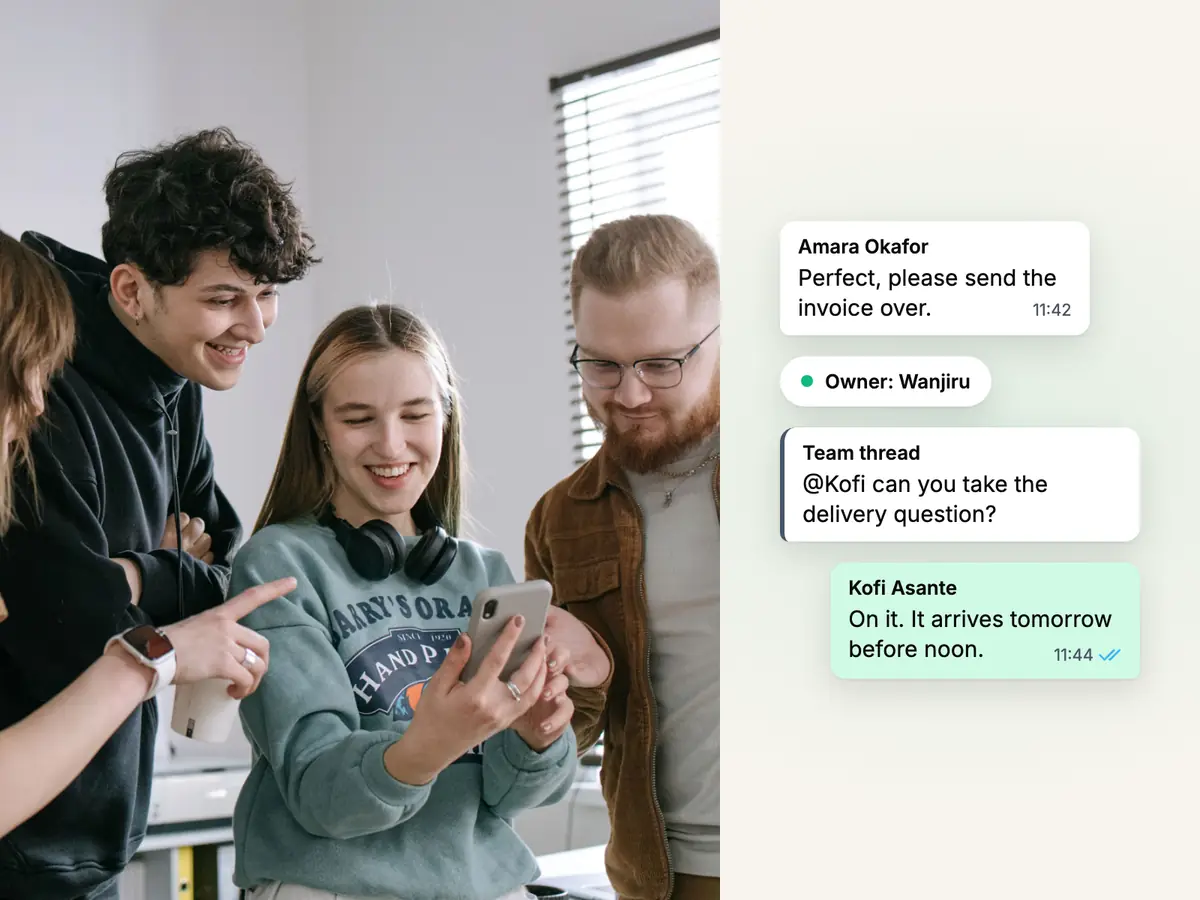
Colleagues in an office smiling at one phone, beside a Haiya chat with its owner and a team note: one shared WhatsApp inbox

Team inbox

Every teammate signs in as themselves.

Invite your team and each person gets their own login with email, Google or Apple, a role, and the WhatsApp numbers they work on. Nobody shares a phone or a password, and removing someone ends their access.

  • Four roles: owner, admin, agent and viewer
  • From 2 team members on Hobby to 20 on Business
See the team inbox
Two support agents in headsets looking at one screen together, beside a WhatsApp help request and its assigned teammate

Customer ownership

Every customer has one owner.

When an owner or admin answers a customer nobody owns yet, that reply makes them the owner. Owners and admins can assign a customer to a teammate, or offer it for the teammate to accept or decline, and customers with no owner wait under one filter.

  • A customer's lead in the CRM has the same owner as their chat
See how leads follow the owner in the CRM

What moving your number to the API involves.

  1. Check that the number qualifies

    Meta's rules for an API number: you own it, it has a country and area code (short codes are not supported), and it can receive a call or an SMS for the code.

  2. Take the number off the WhatsApp Business app

    Meta's phone number page says a number already in use with WhatsApp can't be registered on the API until it is deleted from WhatsApp. Meta also describes a way to connect an existing Business app number instead; see the questions below.

  3. Go through Meta's sign-up from Haiya

    Haiya starts Meta's sign-up for you. You sign in with Facebook or your Meta business account, choose or create a business portfolio and a WhatsApp account, verify the number with a code and enter a display name.

  4. Send templates outside an open conversation

    When a customer messages you, a 24-hour customer service window opens. A message you start, or one sent after the window closes, must use a template Meta has approved.

  5. Grow within Meta's messaging limit

    A new business portfolio can message 250 different people outside an open conversation in a moving 24 hours. Verifying your business is one of the ways Meta lets you raise that.

  6. Invite your team

    Add teammates in Haiya, choose each person's role and the numbers they work on, and they sign in on their own phones.

What teams say after they switch.

  • At Zinen Technologies Ltd we use Haiya every day, and it has made team communication much easier. When a WhatsApp message comes in, we assign the lead to the right team member. From there, they can create a quote, send an invoice and even request payment through M-Pesa, all in one place. This has helped us a lot. We’re very satisfied and looking forward to more features.

    James MwangiDirector, Zinen Technologies, KenyaTrustpilot,

Questions and answers

What is the difference between the WhatsApp Business app and the WhatsApp Business API?

The WhatsApp Business app is Meta's free app for a business answering on one phone, with up to four linked devices. The WhatsApp Business API has no main phone: software such as Haiya connects your number to it, so a team can answer from their own logins, and broadcasts, automations and your own systems can use the number. On the API, a message you start, or one sent more than 24 hours after the customer's last message, uses a template Meta has approved.

Is the WhatsApp Business app free, and what does the API cost?

The app is free to download, and its business broadcasts, where they are offered, cost a fee once your free messages are used. On the API, under Meta's rate card (November 2026), Meta charges per delivered message, by category, and each number has a monthly free tier of 1,000 service messages. With Haiya you also pay a plan from $8 a month; Meta bills you directly and Haiya adds no markup.

How many people can use one WhatsApp Business number?

On the WhatsApp Business app, one phone and up to four linked devices, or up to 10 devices with multi-agent on a Meta Verified or Meta One subscription. On the API with Haiya there is no main phone: each teammate signs in as themselves, from 2 team members on Hobby to 20 on Business.

Can I keep the WhatsApp Business app on the same number?

Usually a number that is in use with WhatsApp has to be deleted from it before it can be registered on the API. Meta also describes a way to connect an existing WhatsApp Business app number to the API and keep messaging one to one from the app, with some app features switched off, such as broadcast lists. Ask us whether it fits your number.

Do I need the API to send broadcasts?

Not for a few regular customers: the app's broadcast lists reach contacts who saved your number. On the API you send approved templates to customers who have opted in to hear from you, and Meta's messaging limit sets how many different people you can reach outside an open conversation in a moving 24 hours, starting at 250 for a new business portfolio.

Do I need a developer to use the WhatsApp Business API?

No. Meta's own page describes two ways in: connecting directly, for businesses with developers, or through a provider that does the technical set-up. Haiya does that set-up for you: you connect your number from the Haiya app.

About the author

Founder, Haiya

Edward Mwangi is the founder of Haiya and a software developer with more than 15 years of experience building custom applications. He is a co-founder of Quest Website Developers Ltd, the company behind Haiya, which offers web design and custom software solutions to clients around the world. On the Haiya blog he writes about running WhatsApp Business as a team from the phone.

More by Edward Mwangi

Try Haiya on your WhatsApp number.

Start in the iPhone or Android app with a 3-day trial through the store, with a card. Your customers keep messaging the same number.

See what customers say on Trustpilot
  • Get it on Google Play